You must have an Earthdata Login account and accept the Alaska Satellite Facility Data Access EULA to access NISAR data.
Create an Earthdata Login Account
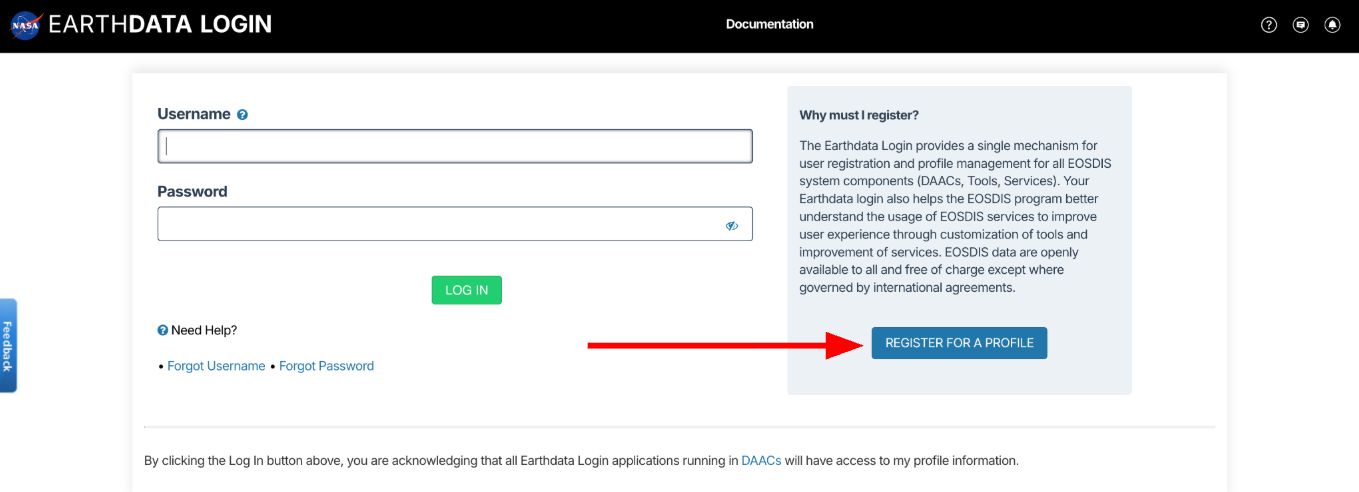
Navigate to Earthdata Login: https://
urs .earthdata .nasa .gov/ Click the
REGISTER FOR A PROFILEbutton.
Complete the registration form to create an account.
Click the emailed link to verify your email address.
Log into your new Earthdata Login account
Accept the Alaska Satellite Facility Data Access EULA
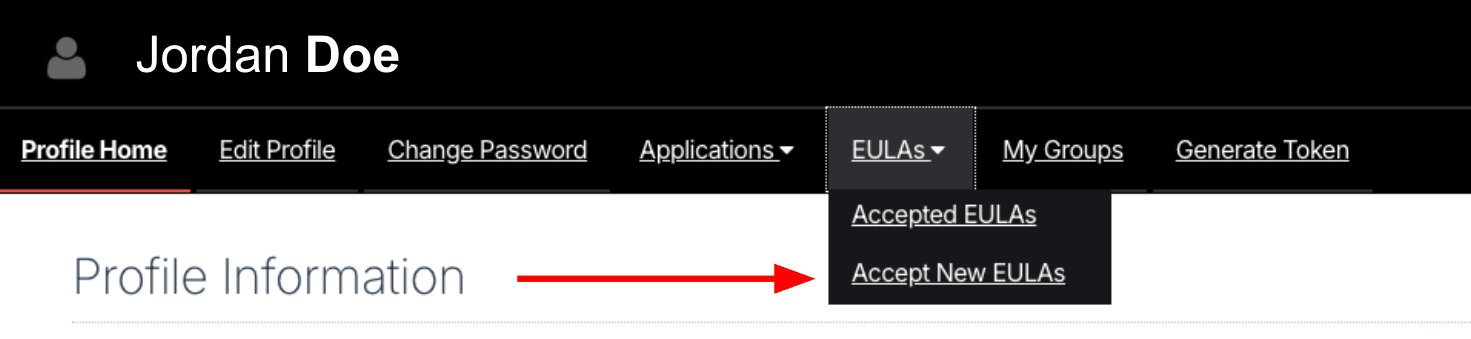
Navigate to the
EULAstab in your Earthdata Login account.Click the
Accept New EULAslink.
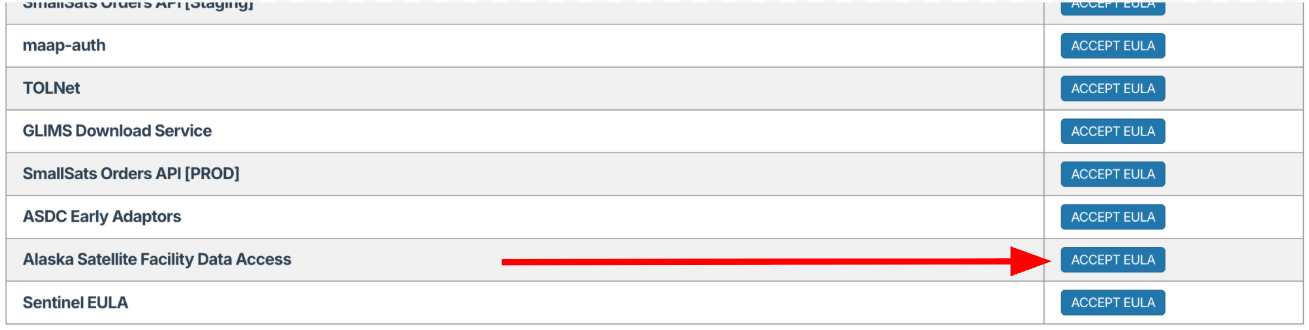
Scroll to the bottom of the EULA list, find the
Alaska Satellite Facility Data Accessentry and click itsACCEPT EULAbutton.
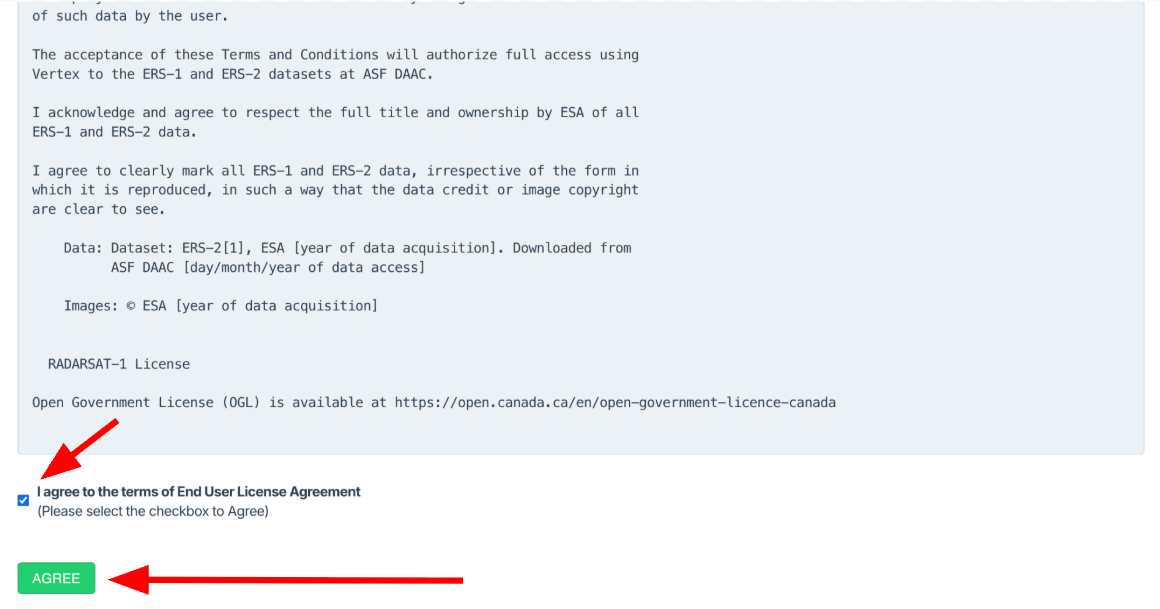
A EULA will appear. Read it and scroll to the bottom. Agree to the terms by clicking the checkbox.
Click the
AGREEbutton.